n8n · AI & knowledge
Company Knowledge Assistant
Helps employees find information in company policies. It searches the supplied documents, uses the latest available version, and returns a relevant passage with its source. If no matching information is found, it says so, giving employees answers they can check.
Tools & integrations
- n8n
- Google Drive
- Gemini
- Pinecone
Problem
Employees looking for a leave or remote-work policy can find an old document or spend time searching several files. They need the current wording, a source they can check, and a clear answer when the information is missing.
Solution
The sample-data simulation searches policy text, uses the latest supplied document version, and leaves out deleted documents. It returns a matching passage with its source, or says it cannot find an answer. The screenshots show the original n8n template; the tested simulation does not connect to Google Drive or use live AI services.
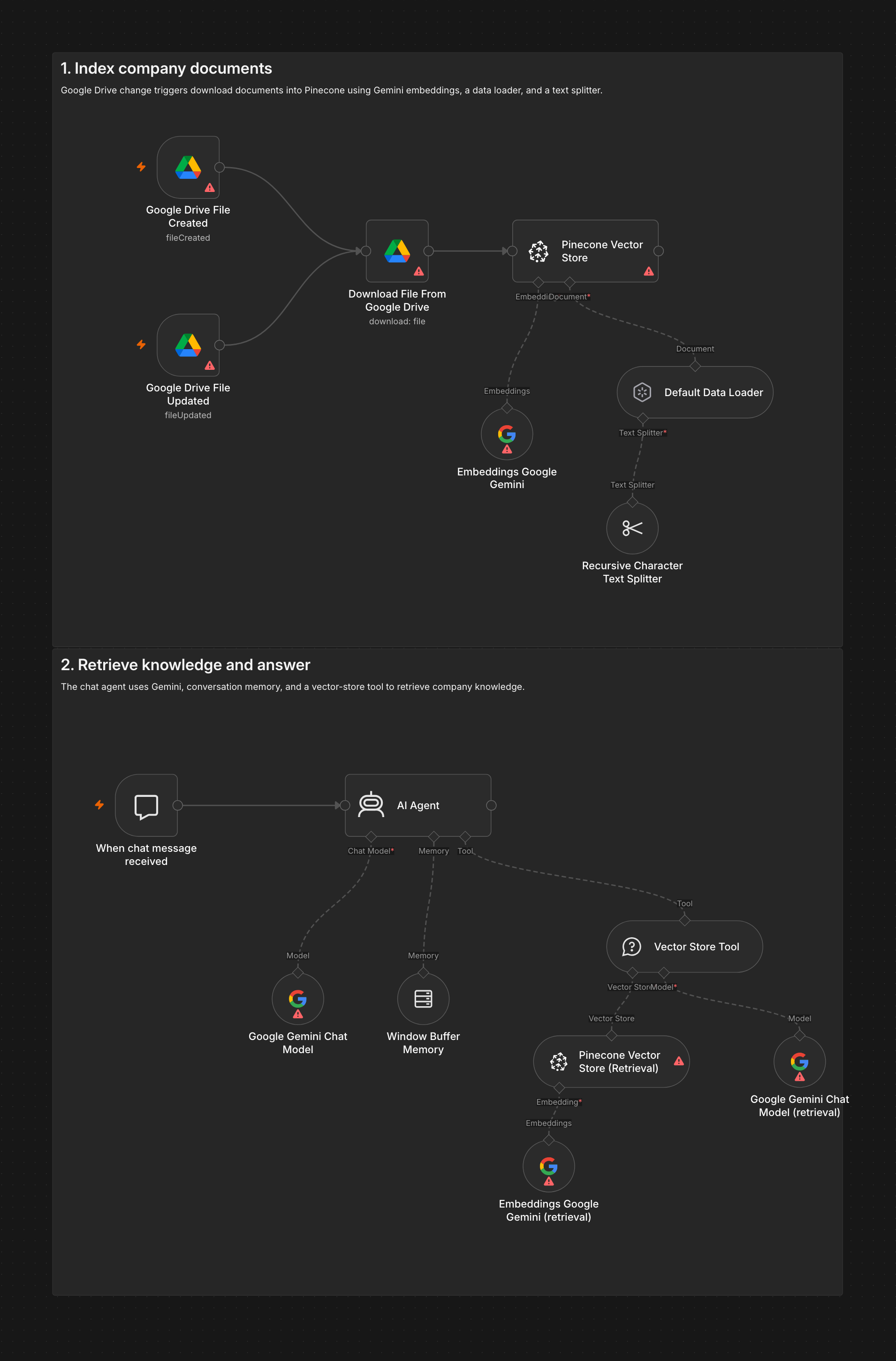
Complete workflow overview
Simulation implementation
- Added version replacement and deletion filtering before retrieval.
- Added deterministic passage ranking, source-version citations, and an abstention path.
How the tested simulation works
- Replace superseded documents
- Rank policy passages
- Return cited excerpt or abstain
Test evidence
Recorded 2026-10-02 · Simulation scenario results
- Latest leave policy replaces old text — passed
- Remote policy citation — passed
- Deleted policy is excluded — passed
- Unknown policy abstains — passed
- Single ambiguous term abstains — passed
- Empty library abstains — passed
- Out-of-order versions still choose latest — passed
Sample output
{
  "status": "answered",
  "citation": "leave:v2",
  "answer": "Annual leave allowance is 18 days."
}