Tech Explained
“No Results.” Your Perfect Office Has Apparently Gone Into Hiding.
The office listing has a photo, a price, and an alibi. Search still denies knowing it. Follow a fictional query through indexing, matching, filters, and ranking.

On this pageJump to section
Introduction
Imagine finding the perfect small office near a station. It has a photo, a price, and enough room for the team. You return the next day and search for it. “No results.”
You open the direct link. The office is still there, looking innocent. Apparently it has chosen to participate in the website without participating in search.
This fictional listing helps separate four jobs: getting records into search, matching the wording, applying filters, and ordering the results. Before putting the office on a missing-person poster, find which job lost track of it.
First check whether the office made it onto the list
First check that the record reached the search index. A detail page reading the main database can show an office that a separately updated index does not yet contain. New, edited, and deleted records need corresponding index updates.Algolia: Keeping a search index up to date
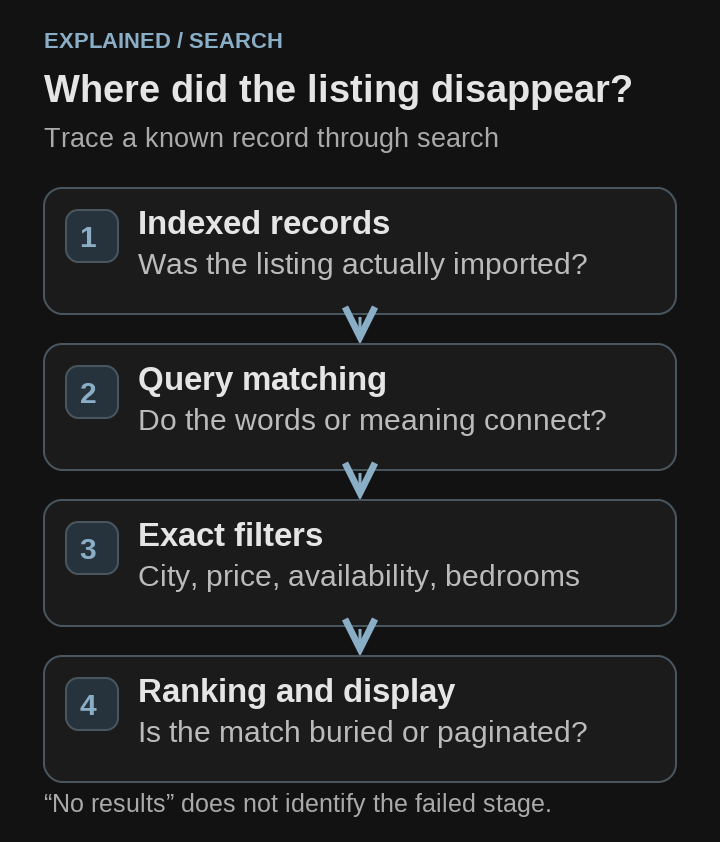
Check whether the listing is indexed, whether the query matches it, whether exact filters exclude it, and whether ranking or pagination hides it. These checks identify different failures. “No results” is the symptom, not the diagnosis.
You said “small office.” The listing said “compact commercial unit.”
The visitor writes “small office near the station.” The listing says “compact commercial unit beside the transport hub.” Keyword search can normalize words and use configured dictionaries; semantic matching can connect related language. Neither automatically defines how far “near” is.PostgreSQL: Full text search conceptspgvector: Similarity search
Here the visitor and the listing may be describing the same thing with different words. That is a matching problem. If the office never reached the search index, it is a missing-data problem. A clever matcher cannot introduce two descriptions when one of them did not attend.
The perfect office is in a city you told search to exclude
A similar listing may still be in the wrong city or above the budget. Flexible matching is useful for intent, while structured constraints enforce the requirements the user actually set.
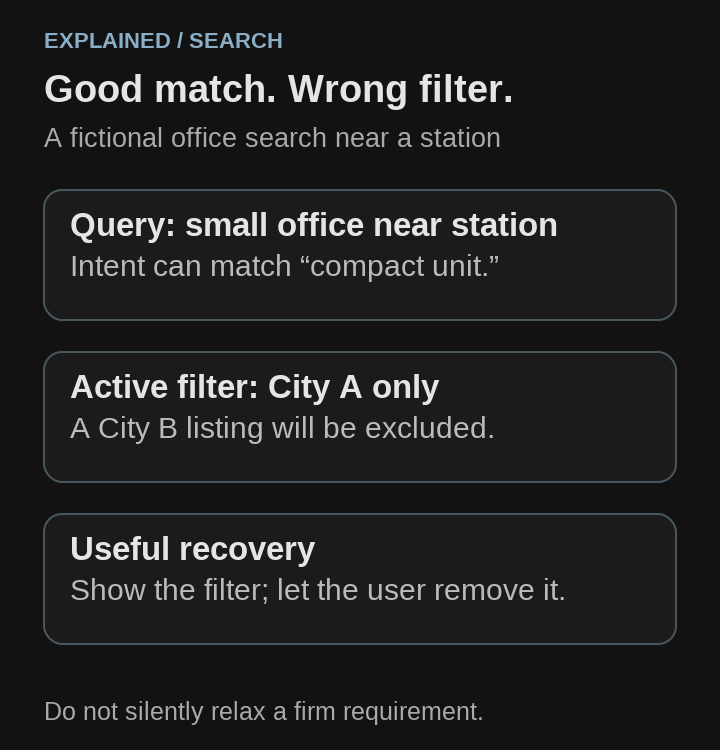
A City B office may match the description while an active City A filter excludes it. Show that filter and let the user remove it explicitly. Silently relaxing a requirement turns “helpful search” into “surprise commute.”
Facets are the categories used to narrow results, such as city or property type. Visible selections and counts help explain why our office disappeared. Let the visitor remove a condition explicitly. Quietly changing the city because an office looks lovely is how a helpful search box becomes an unsolicited relocation service.Algolia: Facets and refinements
Yesterday’s index cannot announce today’s listing
After confirming the record exists in the database, inspect its indexing status and the last successful update. Keep a recovery path for failed imports and a deliberate process for removing deleted records.Algolia: Keeping a search index up to date
If yesterday’s import failed, search may be working perfectly against yesterday’s list. Our office has been ready for viewing all morning; its introduction to the search index is still sitting in the outbox. Fix and retry the update before rewriting the query.
Give the empty state a useful next step
Collect real failing queries and their expected records. Include exact identifiers, misspellings, descriptions, and filter combinations. Then inspect which stage excluded or buried the intended result.
- Missing from the index? Repair ingestion.
- Words do not match? Review matching and relevance.
- Excluded by a filter? Explain the active condition.
- Present but buried? Inspect ranking and pagination.
After the repair, repeat the query with the expected office and visible filters. Adding AI may help related wording; it cannot rank a missing record or grant permission to ignore a city requirement. The office can come out of hiding once the search process remembers how it got there.
Key takeaways
- Verify indexing before tuning relevance.
- Combine flexible matching with exact requirements.
- Show active filters and explicit recovery options.
- Evaluate real queries against known expected records.